Frame Rate Conversion with motion estimation
Version française disponibleWhat is it ?
This piece of software converts frame rates on progressive streams. It uses the mjpegtools ( http://mjpeg.sf.net ). Unlike yuvfps which simply replicates or eliminates frames, yuvmotionfps calculates intermediates frames by interpolating the motion between frames, using an MPEG-style motion compensation algorithm.
Update (14 Apr 2005)
There is a new version 1.6 that
fixes a slew of bugs, including nasty core dumps and such
A lot of improvement at the edges of the image, scene change detection,
an exact frame calculation, and even more parameters to tweak.
Other 4:2:0 as well as 4:1:1 formats are now supported ; I still need
testers though, so if you find a bug,
please
tell me
In summary, upgrade , get it here
yuvmotionfps-1.6.tgz !!!!
To install, just run (as root) :
./configure && make && make install
How does it work ?
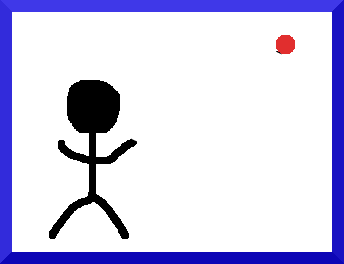
Let's take an example, it will be easier to understand. For argument's sake, we want to convert a film at 2 frames per second into a film at 3 frames per second. The input film looks like this:
 |
 |
 |
If you use yuvfps to convert frame rates, it will simply copy some frames, resulting in an uneven motion like below:
|
|
|
|
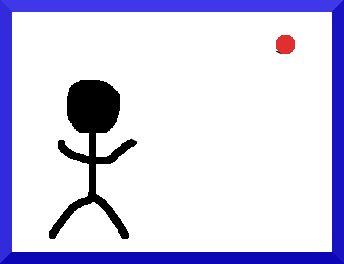
Really, if you look at the timeline, this is what should happen:
|
||||||||
|


This is where the magic
happens: yuvmotionfps calculates the motion of different blocks within
the frames, and interpolates the corresponding blocks.
For example, for time = 2/3, the frame will be a composition of input
frame 1 and Input film frame 2 as follow:
| Time = 0 | Time = 2/3 | Time = 1 |
|
 |
|
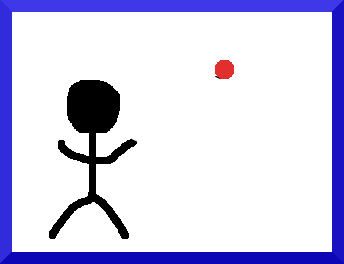
The motion of the ball (the red dot) between Time = 0 and Time = 1 is calculated (green arrow). To calculate the position of the ball at Time = 2/3, it is just a simple interpolation: position(2/3)=position(0)+2/3*motion(0->1)
The end result is a very smooth approximation of the frame, like below:
|
||||||||
|

So this is it ! we now have a very smooth movement ;-). Now go get your old Super 8 videos at 18fps and convert them to 24fps ;-)
Where is the catch ?
OK, there are actually a few... First it's brand new code, so I might not have ironed out all the bugs. Second, you will not get the same quality that you would if you had filmed at the original rate (don't daydream). There can be small artifacts (blocking) and/or blocks not well blended, which can make the moving parts a bit blurry. |The motion estimation is painfully slow and not easy to tweak... Ideas are welcome ! There are probably other "features" that I am not aware of (who said bugs ?)
Should I use it to do Film
(24fps) to NTSC-video (29.97fps) conversion ? (FILM<->NTSC)
Nooooo ! For this, you want to use a process called Telecine or 3:2 pulldown. It was meant for this and best of all, it is a reversible process: Your "progressive scan" DVD player will be able to reconstruct the original film at 23.97 fps by a process called "Inverse Telecine".
Should I use it to do Film
(24fps) to PAL (25fps) conversion ? (FILM<->PAL)
Hard question. I would be tempted to say no, because this process basically throws away most of the original frames, so this is kind of bad. The two classic methods that are used are speeding up the original footage by a ratio of 25/24, which is about 4% faster; of course, the audio has to be sped up accordingly. The other method is duplicating one frame every second, which can look jerky, but can be unnoticed depending on the footage (pans look way better with yuvmotionfps, static images don't); actually, I believe that this is the way it's done for DVDs. Ultimately, it's a matter of preference.
Can I use it to convert 8mm or Super 8 (18fps) into film ?
This is a great tool for this. Again, for archiving the videos it's not so good, but to play them on conventional systems it's great.
Can I use it to convert my PAL videos to NTSC videos (or the other way around) ? (NTSC<->PAL)
Sure, but you'll have to watch out for the interlacing. yuvmotionfps only processes progressive material, so I suggest to use yuvdeinterlace (in the mjpegtools cvs) before, to deinterlace the original footage.
This is great, where can I get it ?
I provided a tarball of the files. You will need a recent CVS
version of the mjpegtools.
You can find the whole thing here
But it doesn't do <insert_whatever>
Feel free to implement it, it's released under the GPL !